


1.-Open Your Layout Settings
2.-Go To The Edit HTML
3.-Put This Two Lines Of Code Inside The CSS Section That Is After The Color Parameters Arrays Of Your Blogger v3.0 Template And Before the /head Code Tag:
#navbar-iframe{opacity:0.0;filter:alpha(Opacity=0)}
#navbar-iframe:hover{opacity:1.0;filter:alpha(Opacity=100, FinishedOpacity=100)}
Need more guidance to do it? ok, just look for this spot in your template Before the /Head code tag in the CSS section:
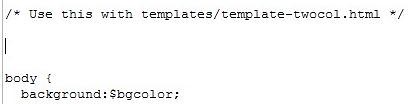
And the put it there so it can look like this:

4.-Save Template
5.-Look At Your Blog


1 comments:
Well, you were always the computer kid in the house. That's really neat!
Post a Comment